 MicroNotch
Keep work in view.
See running sessions and unresolved requests together. Search by title, provider or project.
Let a session run while you get on with something else. MicroNotch keeps supported sessions, requests and completed runs together at the top of your Mac. Available alerts and controls vary by provider.
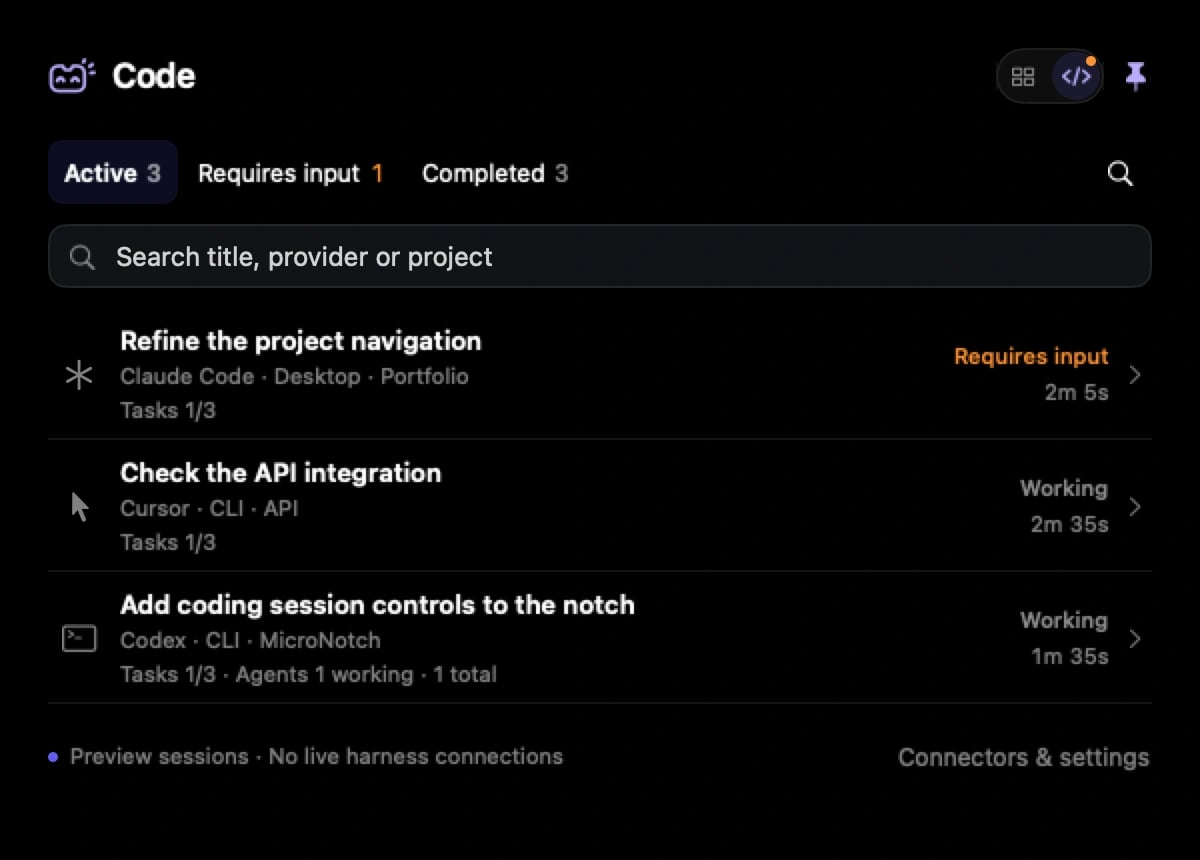
Check on a run without losing your place. Open its details for the latest visible output and available actions.
See running sessions and unresolved requests together. Search by title, provider or project.
Find confirmed requests waiting for you. Supported connections let you answer from the notch.
Review completed runs, with failed and cancelled work distinguished from successful completion.
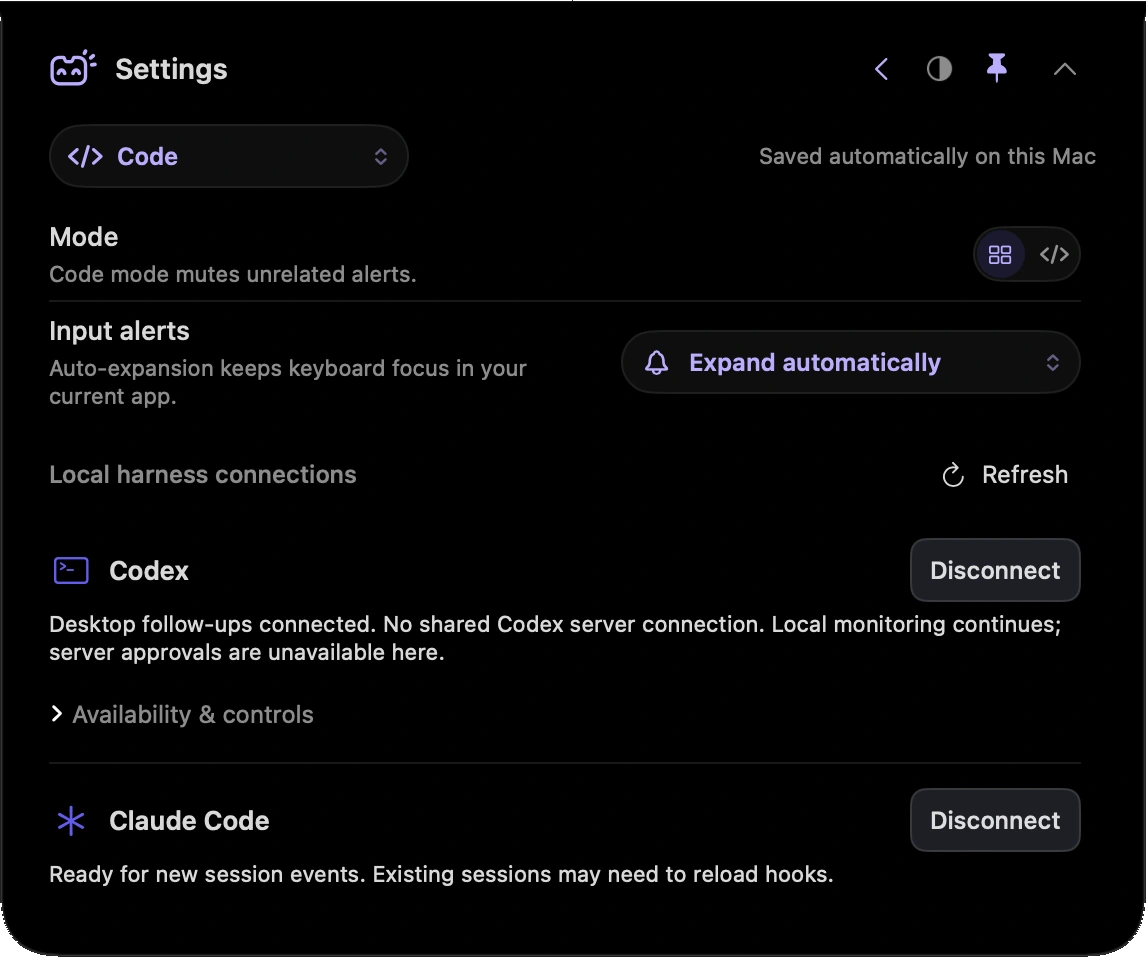
Connect the providers you use in Settings. Code mode follows supported local desktop and CLI sessions.
Choose a badge or automatic expansion when input is needed. MicroNotch keeps keyboard focus in your current app and quiets its unrelated alerts while you’re in Code mode.
Code mode setupMonitoring and direct controls depend on the provider, installed version and available connection. You can always continue in the source application.
| Provider | Monitoring | Controls and boundaries |
|---|---|---|
| Codex | Local sessions and an existing shared server. | Follow-ups through a connected desktop session. Approvals and questions need a shared server connection. |
| Claude Code | Local hooks and transcript updates. | Request-specific approvals and questions while the supported hook is attached. |
| Cursor | Local lifecycle hooks and transcript updates. | Open the source application or copy a follow-up. Input detection is limited. |
| Antigravity | Local hooks and visible transcript updates. | Explicit question and permission signals where available. Continue other actions in the source application. |
Code mode does not provide AI subscriptions or API credits. Connect the tools you already use.
Join the launch list. We’ll let you know when MicroNotch is ready for your Mac.
£19.99 one-time.£14.99 early-bird for launch-list members or the first buyers.