 MicroNotch
File shelf
Drop files into the notch. Keep copies close, make a ZIP or send them with AirDrop.
Find a copied link, jot something down or gather files to share. 21 useful tools and features in one familiar place. Start with the ones that fit your day.
Find your next favourite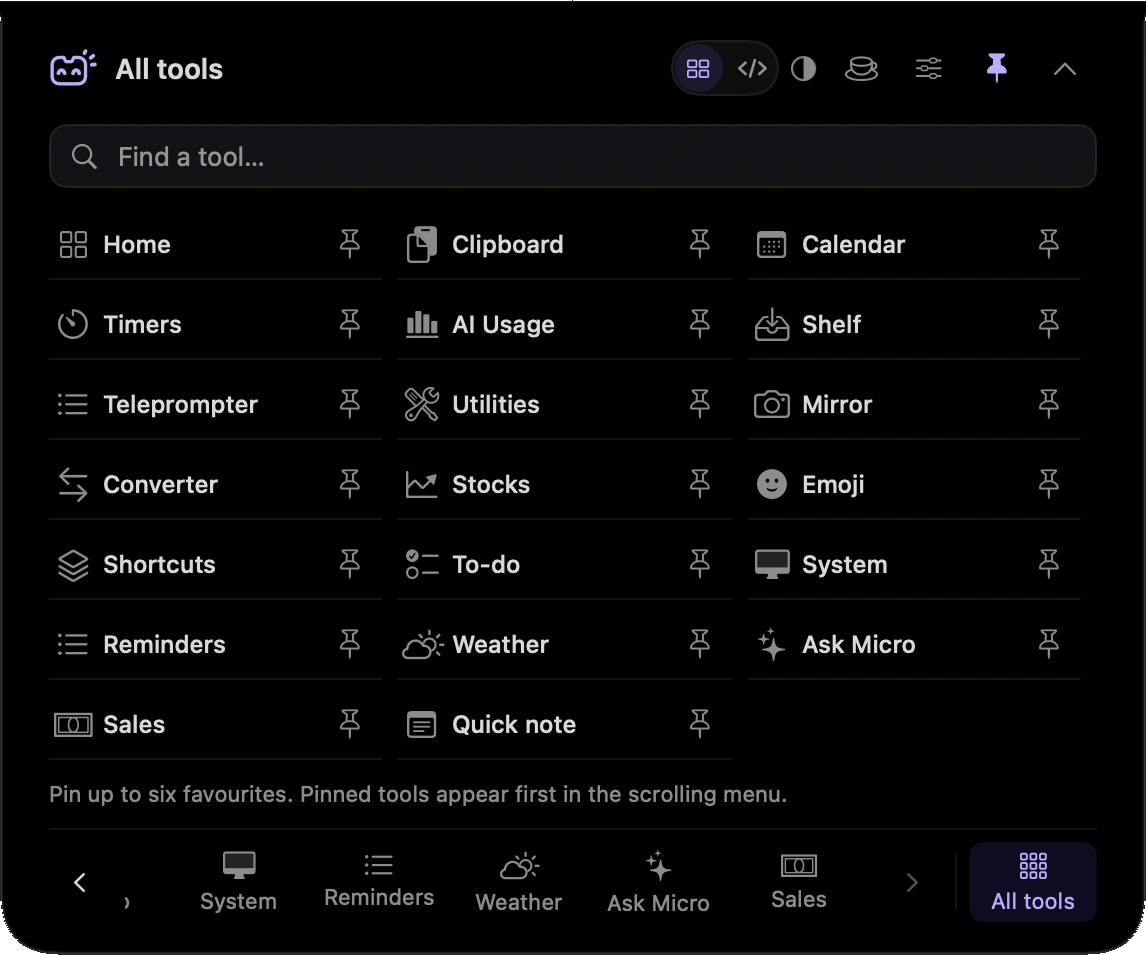
21 tools
Drop files into the notch. Keep copies close, make a ZIP or send them with AirDrop.
Find something you copied earlier. Search your history and pin the things you use again.
Write a quick note and keep it close. MicroNotch saves it as you type.
Keep a short list, highlight a task and tick it off when you’re done.
See your Apple Reminders, add a reminder and mark tasks complete from the notch.
Hold Fn, speak and put your words where you’re working. Or tap twice to go hands-free.
Pause, skip and see what’s playing. Keep Apple Music or Spotify within reach.
Set a countdown, start a Pomodoro or use the stopwatch. Your timer keeps going when the notch closes.
Check the month and see what’s coming up, using the calendars already on your Mac.
Check the temperature and the forecast before you head out. Search for a city or use your location.
Keep your script near the camera. Adjust the text size and reading speed as you rehearse or present.
Adjust volume, keep your Mac awake, pick a colour or play a little background noise.
Check your camera before the call. The preview stops when you leave the tool.
Convert lengths, temperatures, weights and more. Refresh reference rates when you need currencies.
See your Apple Stocks watchlist and cached quotes without opening another window.
Find the right expression, copy it and carry on. Search a curated collection by name or keyword.
Run the Apple Shortcuts you already use, straight from your notch.
Check processor load, memory, storage, battery and network activity at a glance.
Ask a question or work through a thought with the on-device Apple Intelligence model.
Check supported provider allowances, local activity and connected API balances in one place.
Check your store’s sales, orders and daily trends. Keep currencies separate and see when data was refreshed.
Code mode brings your coding sessions together, with active work, pending requests and completed runs.
Explore Code modeSearch tools and common actions with Control–Option–K. Find a timer, run a command or jump to a coding session.
Join the launch list. We’ll let you know when MicroNotch is ready for your Mac.
£19.99 one-time.£14.99 early-bird for launch-list members or the first buyers.