 MicroNotch
Provider allowances
Check allowance information where a supported provider makes it available.
When your work spans different AI tools, keep the available usage readings together. See supported allowances, local activity and connected API balances from the notch.
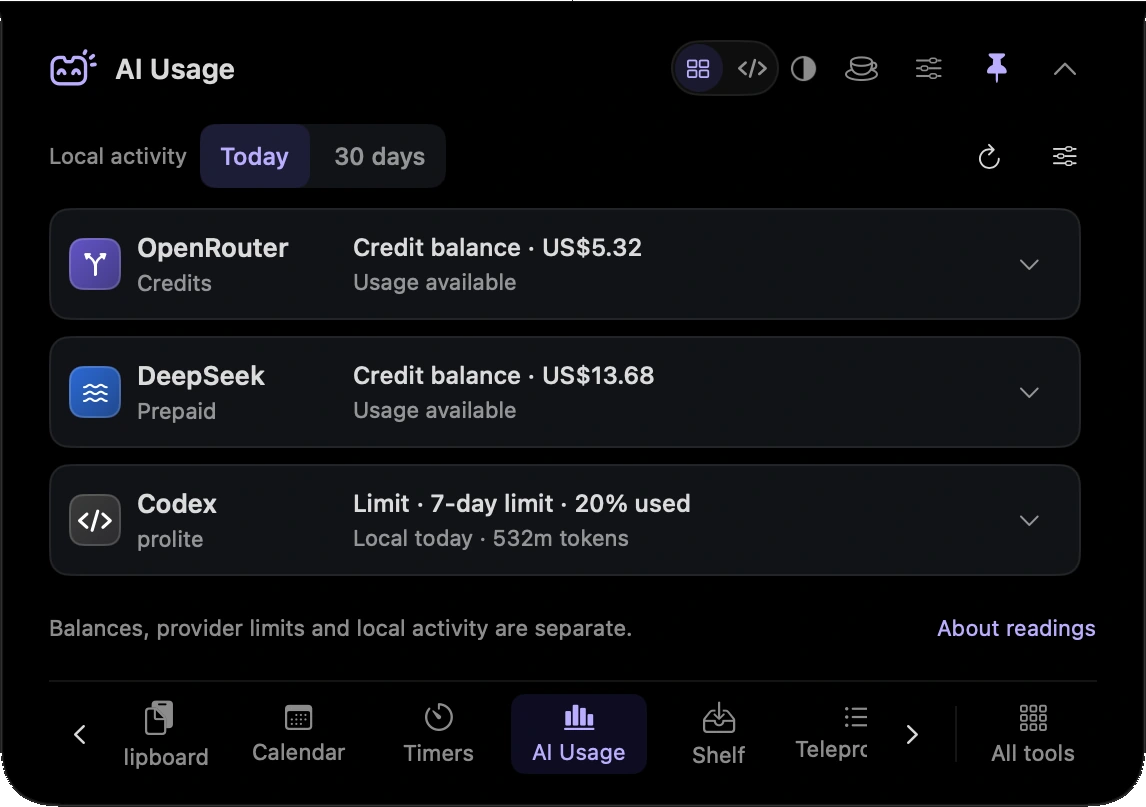
Check allowance information where a supported provider makes it available.
See supported local activity readings alongside connected information.
Check API balances for supported connections you set up.
Check the available allowance or balance for the supported provider you plan to use.
Look at supported readings in one place while keeping each provider’s different measures in mind.
Hover over or click the compact notch, use the menu-bar icon, or press Control–Option–Space. Search tools with Control–Option–K. If a shortcut is already taken, check the active shortcut in Settings.
Pin a favourite from All tools for quicker access. More about opening the notch
You can close the notch between checks. Reopen AI Usage and review the available readings and their freshness; do not treat a hidden panel as a guaranteed live billing feed.
AI Usage is one of 21 tools and features in MicroNotch.
Back to all toolsSign up for emails about product updates, new features and new products.
£14.99 introductory launch price · two Macs.One-time · licence never expires · standard price £19.99. Buy MicroNotch