 MicroNotch
Last verified: November 2026
Start with macOS compatibility
Check which macOS version you run. Notchy supports Ventura, and several apps in the table support Sonoma. MicroNotch and Alcove require Sequoia or later.
Then decide what you want to use the notch for. If you mainly want Lock Screen media controls, start with Alcove. If you want a terminal, look at Atoll or MicroNotch.
A MicroNotch licence costs £14.99 once for two Macs and includes updates. The table shows which alternatives have subscriptions or different licence limits.
Compare features and prices
| App | Pricing & Licence | macOS requirement | Offline Dictation | Clipboard History | AI Coding & Terminal | Readability & Themes | Main use |
|---|---|---|---|---|---|---|---|
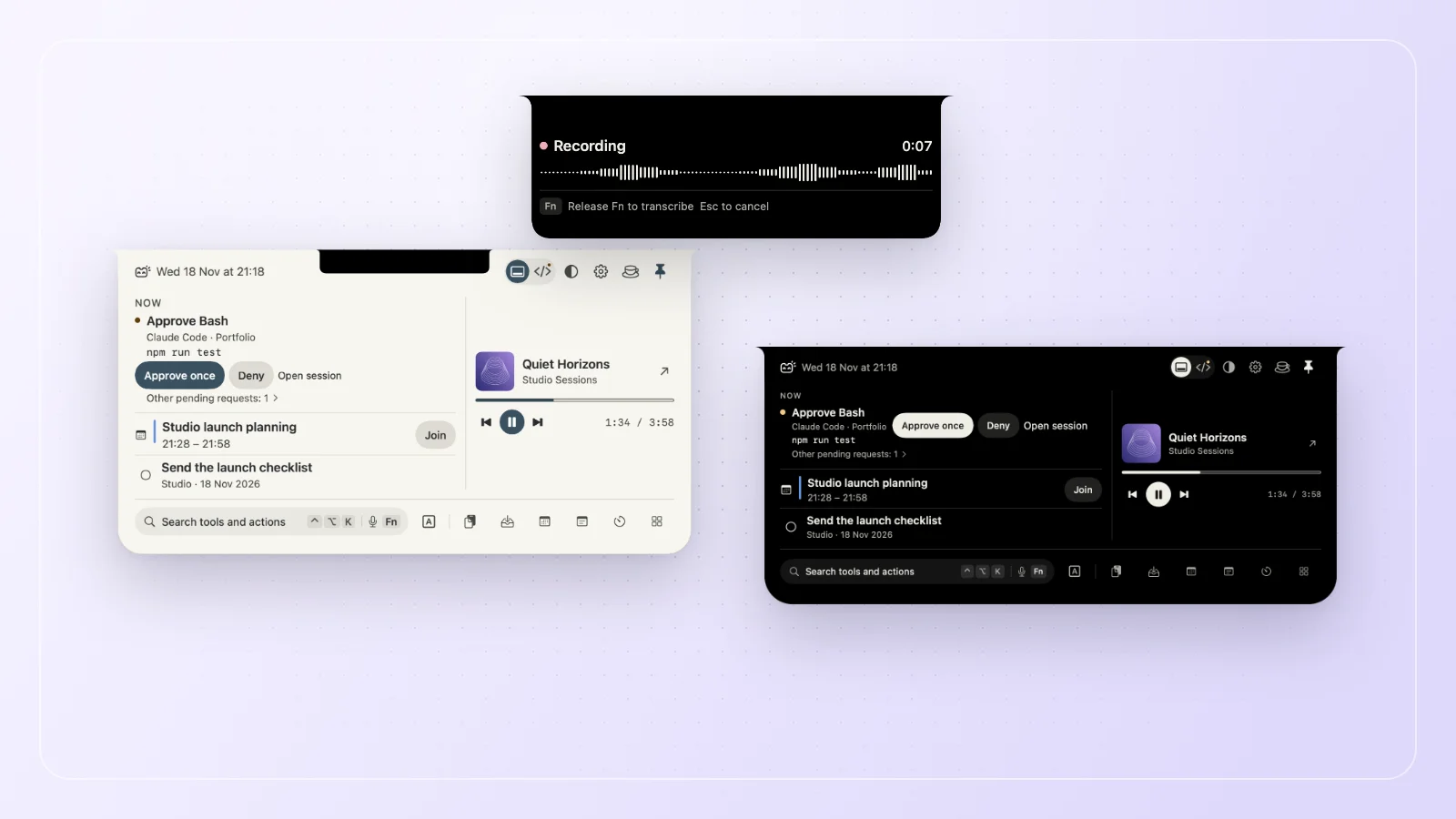
| MicroNotch | £14.99 once (2 Macs, free updates) | macOS 15+ | Yes (25 languages, hold Fn) | Yes (local) | Yes (Code mode + Project Terminal) | Dark, Graphite, Light, Comfort text & reading tints | Offline dictation and coding sessions |
| NotchNook | Regular prices: Classic $15 once or $2/mo. Pro $19 once or $3/mo | macOS 14.6+. Classic supports Intel and Apple silicon. Pro requires Apple silicon | No | Yes, in Pro | Pro adds Claude Code and Codex approvals and a terminal | Dark, with Liquid Glass on Pro | Media controls and an AirDrop tray |
| Alcove | ~$12.99–$14.99 once (3 Macs) | macOS 15+ | No | No | No | Native macOS dark HUD | Lock Screen Live Activities and media |
| Droppy | $9.99 once | macOS 14 Sonoma or later | Yes, with the Voice Transcribe extension | Yes (with OCR) | AI HUD & MCP | Dark Dynamic Island | Extensions and cloud file links |
| DynamicLake Pro | ~$13.99–$16.90 once (3 Macs) | macOS 14+ | No | No | No | Dynamic Island / Liquid Glass | Chat notifications (WhatsApp/Slack) & file conversion |
| NotchBuddy | $10 once direct for one Mac. $19.99 once on the Mac App Store | macOS 14+ for the direct edition | No | Yes | No | Optional notch pet | Sales alerts and focus timers |
| Atoll | Free (GPL-3.0) | macOS 14+ | No | Yes | SwiftTerm terminal | Community dark UI | Free open-source stats & terminal |
| Notchy | $24.99 once | macOS 13+ | No | Yes (with OCR) | Usage across 35+ AI tools | Dark utility UI | Older Macs on Ventura/Sonoma |
Head-to-head comparisons
MicroNotch vs NotchNook
NotchNook Classic runs on Intel and Apple silicon Macs and includes an AirDrop tray. Pro requires Apple silicon and adds clipboard history and a terminal. MicroNotch includes offline dictation. See NotchNook pricing and offers.
- Read the NotchNook comparison Full breakdown coming soon
MicroNotch vs Alcove
Alcove puts Live Activities on the Lock Screen and covers volume and brightness controls. MicroNotch puts dictation and file tools in a panel you can also use on external displays.
- Read the Alcove comparison Full breakdown coming soon
MicroNotch vs Droppy
Both apps offer offline dictation. MicroNotch has it built in, and Droppy provides it through its Voice Transcribe extension. Droppy also offers clipboard OCR and cloud file links.
- Read the Droppy comparison Full breakdown coming soon
MicroNotch vs DynamicLake Pro
DynamicLake Pro brings chat and call alerts into the notch and runs on macOS 14 Sonoma. MicroNotch requires macOS 15 or later and includes offline dictation and coding tools.
- Read the DynamicLake Pro comparison Full breakdown coming soon
MicroNotch vs NotchBuddy
Approtic’s NotchBuddy offers sales chimes for providers such as Polar and Lemon Squeezy. It sells the direct edition and the Mac App Store edition separately. See NotchBuddy pricing.
- Read the NotchBuddy comparison Full breakdown coming soon
Guides
- Mac notch apps for developers Full breakdown coming soon compares the apps by terminal access, AI usage and support for coding agents.
- Offline Mac dictation without a subscription Full breakdown coming soon compares MicroVoice with Apple Dictation and cloud dictation services.
Frequently asked questions
Does MicroNotch work on Macs without a notch?
Yes. On a Mac without a camera notch or on an external display, MicroNotch opens as a compact panel at the top of the screen.
Is MicroNotch a subscription?
MicroNotch costs £14.99 once for two Macs. The licence includes all 24 tools and future updates.
Can I try MicroNotch before paying?
Yes. You get three days to try it. The trial starts when you verify your email in the app, and you don’t need a card.
How is MicroNotch distributed?
You can download the signed, Apple-notarised DMG or install the Homebrew cask.
brew install --cask microapps-repo/tap/micronotch