 MicroNotch


These three applications share a useful idea: the top of the screen can hold more than a camera cut-out. They differ in requirements, distribution, licensing and the particular workflows they bring into reach.
I make MicroNotch. This guide uses published product information, checked on 19 November 2026, and MicroNotch 1.2.0. For hands-on comparisons, try the tasks below on the Mac you use every day.
Compare the essentials before the feature count
On a phone, swipe across the table to see all three apps.
| Topic | MicroNotch | Notchy | Boring Notch |
|---|---|---|---|
| macOS version | macOS 15 Sequoia+ | macOS 13 Ventura+ | macOS 14 Sonoma+ |
| Licence price | £14.99 once, up to two Macs | One-off, one Mac | Free and open source |
| Free trial | Three days, no card | Seven days, no card | Free download |
| What you can do from the notch | 25-language dictation, Code mode and project Terminal | Dictation, clipboard, Terminal and agent controls | Music, calendar, file shelf and system controls |
| Official sources | micronotch.app | notchy.dev | Boring Notch repository |
Start with the macOS version on your Mac. MicroNotch runs on macOS 15 Sequoia or later, including Macs without a physical notch. Notchy and Boring Notch list support for earlier versions. Check dictation and coding-tool requirements separately if either is part of your decision.
When Boring Notch makes sense
Boring Notch is free and open source. Its maintainers document music controls, calendar integration, a file shelf with AirDrop and on-screen controls for volume and other system settings. The repository lists macOS 14 Sonoma or later on Apple silicon and Intel Macs. Read the project’s installation notes for the release you plan to use. Boring Notch website · Official repository
When to look at Notchy
Notchy’s download page lists macOS 13 Ventura or later and a floating pill on displays without a notch. Its toolkit includes clipboard history, on-device dictation, Terminal and coding activity. Its settings guide describes input alerts and approval controls for Claude Code and Codex. Its paid licence covers one Mac, and the seven-day trial starts on first launch with no card needed. Download and compatibility · Settings guide · Pricing
When MicroNotch is worth trying
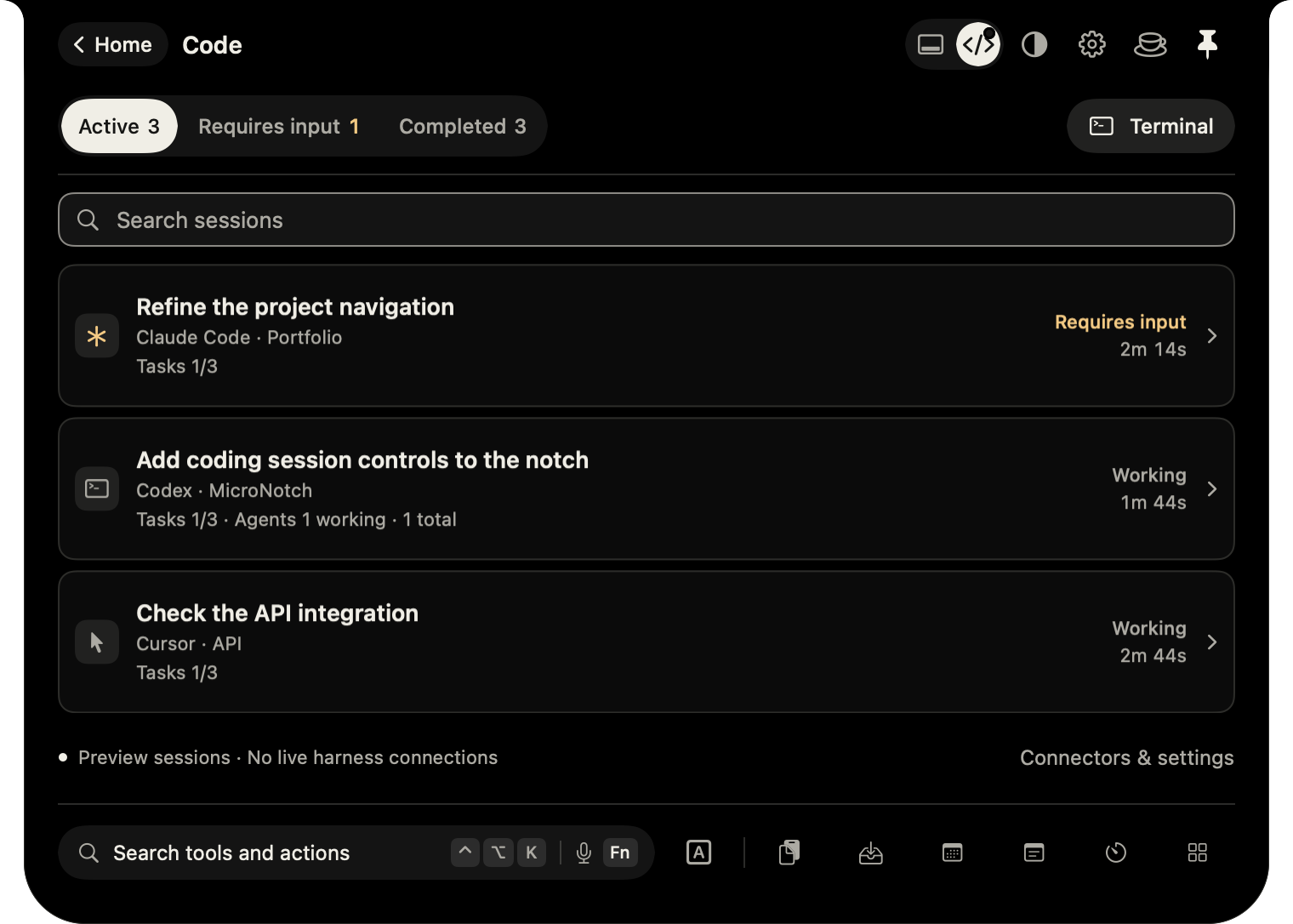
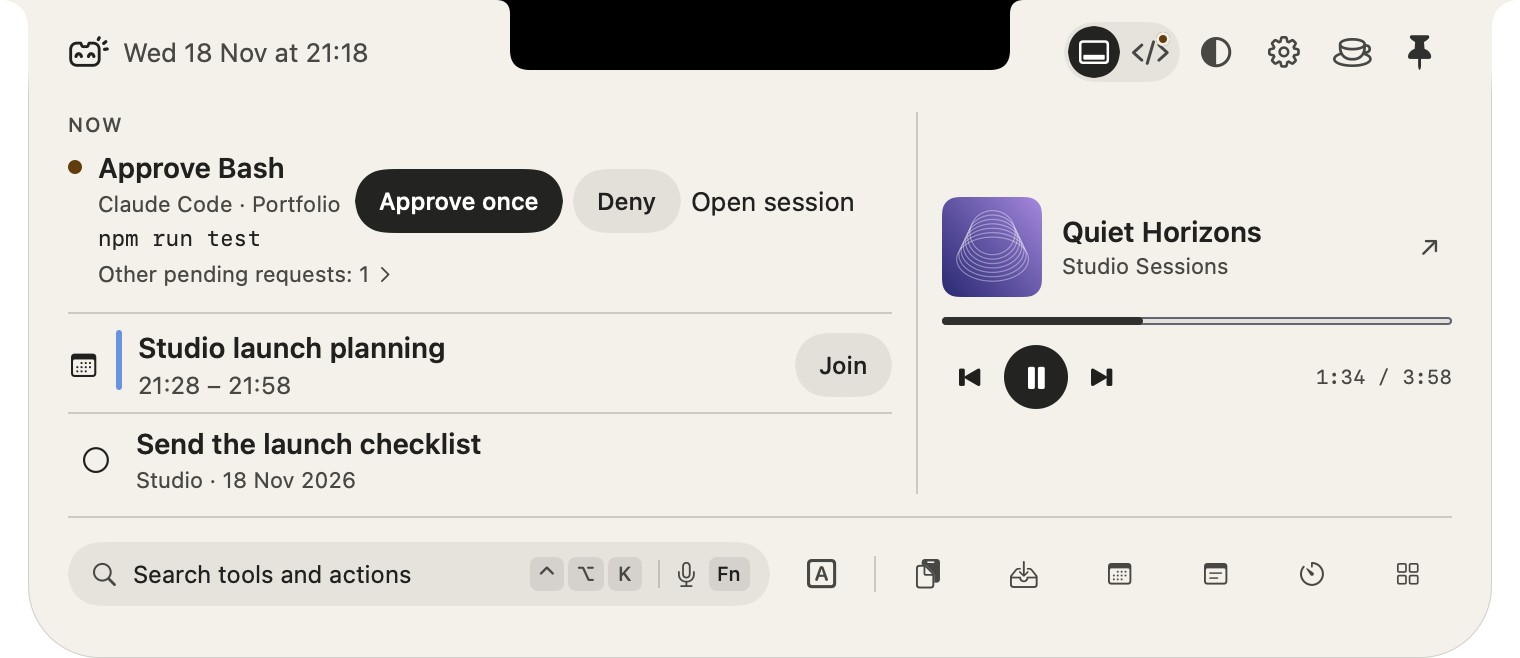
MicroNotch brings on-device dictation in 25 languages, coding sessions and Terminal and everyday tools into one panel. Use it on a MacBook with a physical notch or along the top of another display. It runs on macOS 15 Sequoia or later.

Turn on MicroVoice and download its dictation model once, about 346 MB. It detects which of the 25 supported languages you’re speaking. Each recording can run for up to two minutes. Transcription runs on your Mac without a cloud service or an API key. The model is designed for Apple silicon. MicroVoice is still unverified on a physical Intel Mac.
Code mode shows active sessions, work that needs your input and finished runs. It follows supported Codex, Claude Code, Cursor and Antigravity connections. Available approvals and replies depend on the connection. If the session has a local project folder, open Terminal in that folder to check a build or run Git. Compare controls by connection
New users get a free three-day trial after verifying their email in the app. No card is needed. A one-off £14.99 licence covers up to two Macs, with future updates included. Download and pricing
To change how the panel reads, open Settings → Appearance for themes, text size and reading tint. In Settings → Notch & Displays, choose Standard or Stacked for Home and adjust panel size separately. See the available reading options
Test the overlap that matters to you
If you only need music and a file shelf, test those two jobs. If you need clipboard history, try recovering a copied link after copying something else. If agent monitoring matters, check whether the app follows your actual provider connection rather than simply showing a usage total.
Run one notch utility at a time while evaluating hover behaviour, shortcuts and full-screen use. Otherwise, two applications competing for the same area or gesture can make both seem less predictable.
Use ordinary, non-sensitive sample material. Notice which permissions the feature needs, where data is kept and how you would turn it off. The best option is the one you understand and keep using, at a price and level of access you are comfortable with.
For a wider shortlist, see our Mac notch app guide. To try MicroNotch, download it for Mac and start your free three-day trial in the app.