 MicroNotch
 MicroNotch for macOSVersion 1.2.2
One licence.
Two Macs.
Pay £14.99 once. Use every tool on two Macs, with free lifetime updates for as long as MicroNotch is offered.
Free 3-day trial. No card required. Verify your email in the app to start.
Requires macOS 15 Sequoia or later.
BF50 until 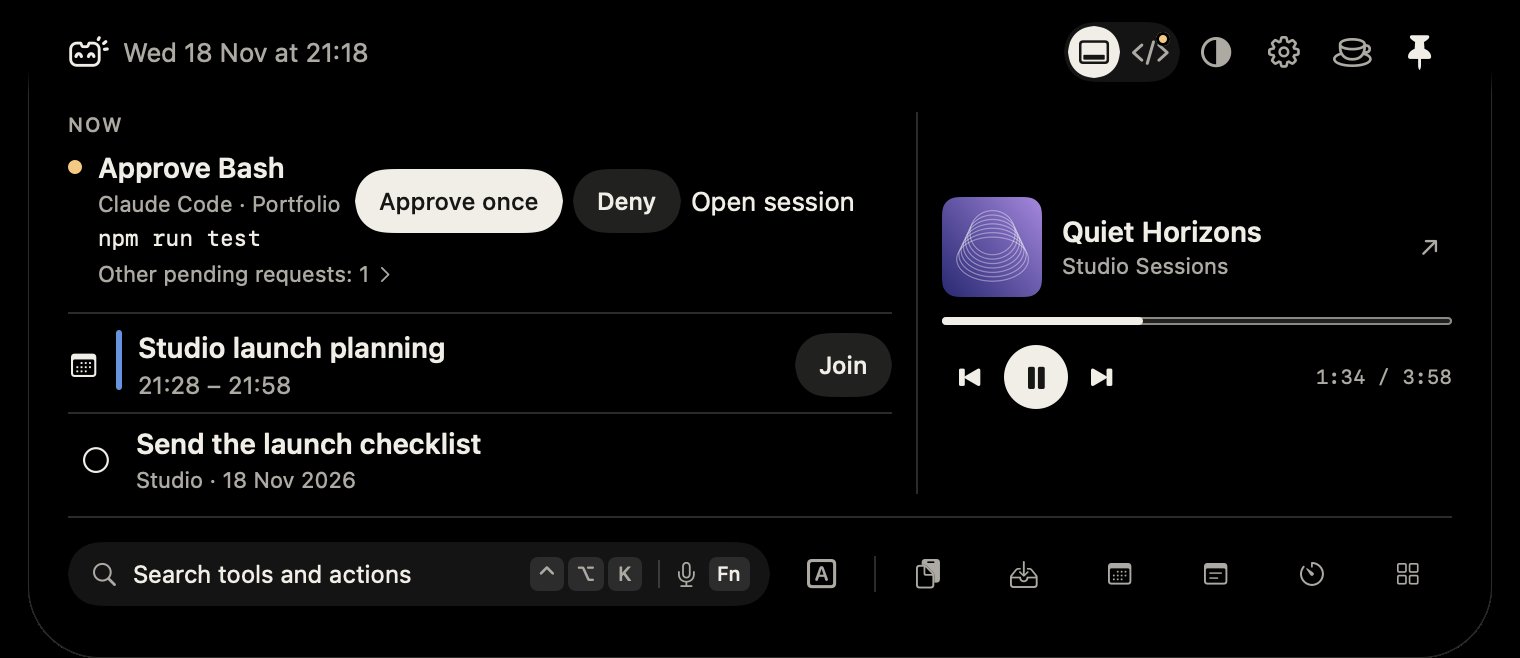
- Official download
- Version 1.2.2 · 20.5 MB DMG
- Developer ID signed · Notarised by Apple
- See how to get started
- Mac compatibility
- Requires macOS 15 Sequoia or later. One universal download for Apple silicon and compatible Intel Macs. A built-in display notch is optional. See Apple’s Sequoia compatibility list.
- On your Mac
- No account to create. Your notes, files and clipboard stay on your Mac.
One notch instead of a crowded menu bar.
Everything below is included in one £14.99 Mac licence — no add-ons or separate subscriptions.
- Voice dictationOn-device speech to text in 25 languages with MicroVoice.
- Code & TerminalFollow coding agents and open a shell in the project folder.
- Clipboard historySearch recent links, snippets and copied images locally.
- File shelfPark files in the notch, ZIP them or AirDrop them out.
- Calendar & meetingsGlance at today’s schedule and join your next call in one click.
- Music controlsCover art, track scrubbing and playback right at the top.
- Store salesCheck daily revenue and recent orders without opening a dashboard.
- Quick Note & timersJot a fast note or run a focus timer without leaving your app.
Every tool is included in your £14.99 one-off licence for two Macs.
20+ TOOLSKeep using MicroNotch.
£14.99
Black Friday · 50% off£7.50with BF50One-off licence for two Macs. No subscription. UK price includes VAT.
Secure checkout with Dodo Payments. Review your total before paying.
Eligible cancellations receive a full refund. Cancellation and refunds
What’s included
- One licence, active on two Macs at a time
No subscription — major versions (2.0, 3.0 and later) included. Use the same key on two Macs, and deactivate an old Mac online to move its place to another.
- Your licence never expires
One payment covers every tool, theme and reading tint, with offline use for up to 90 days after a qualifying licence check.
- Free lifetime updates
All updates, including major versions, are included for as long as MicroNotch is offered. There are no upgrade fees.
After you buy online
Dodo Payments emails your receipt and licence key. Open MicroNotch, choose Enter licence key and paste the key.


Existing trials keep their original expiry dates. When a trial ends, the tools pause and you can recover your saved work. There’s no automatic charge.
Prefer to buy in the app?
During your trial, go to Settings → About & Licence → Licence → Trial & activation… and choose Buy MicroNotch. If the trial has ended, use the MicroNotch menu bar icon → Licence and trial…
After paying in your browser, choose Open MicroNotch to activate. If the app is still waiting, choose Check purchase.
Your first launch.
- Install MicroNotch.
Open the downloaded DMG, drag MicroNotch into Applications, then open it from Applications.
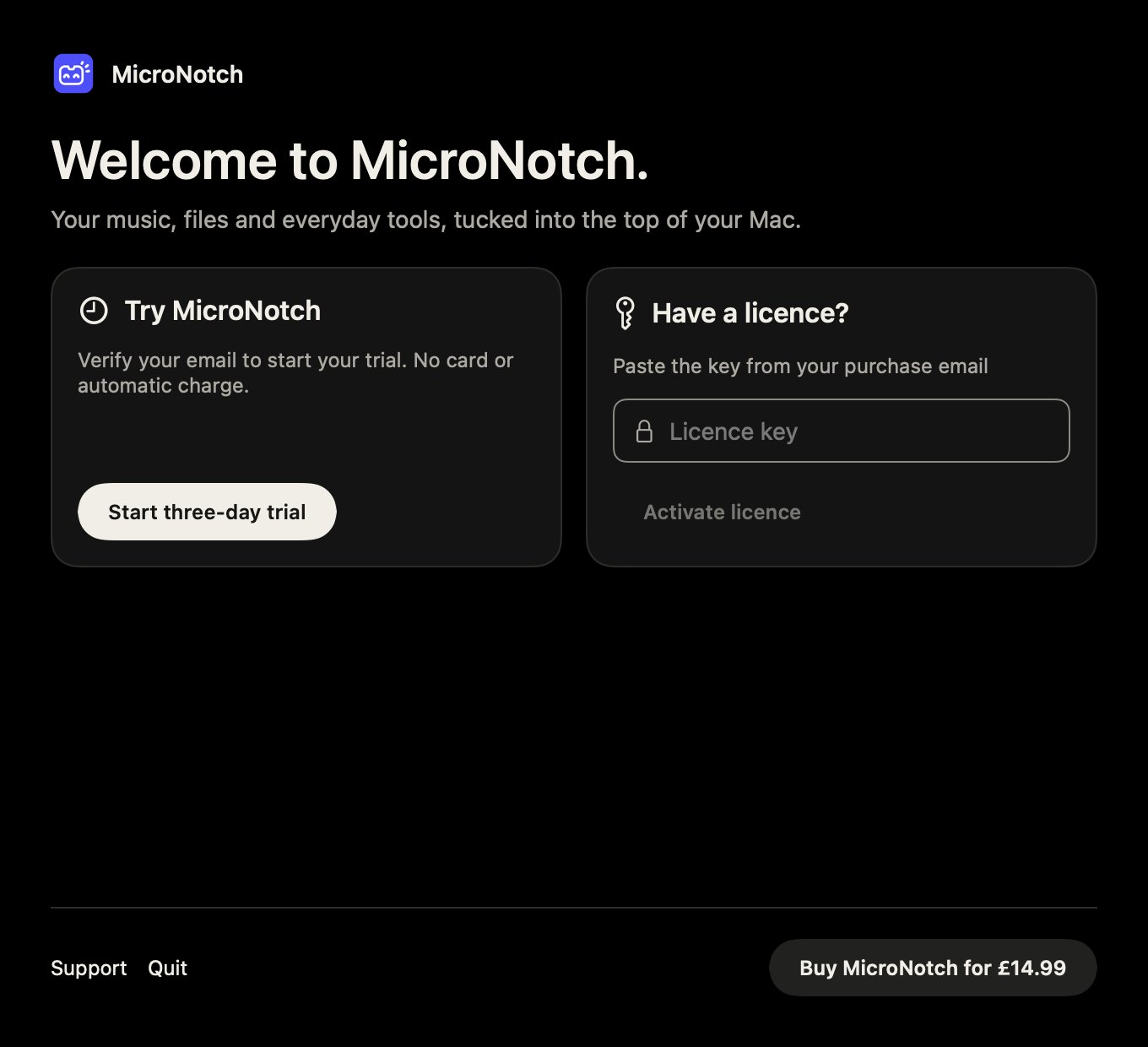
- Start your free trial.
Choose Start three-day trial while online. Enter the code we email you to start your three days. If you already have a licence, enter your key and choose Activate licence.
- Choose how the notch opens.
Click-to-open on your main display is the default. Choose hover or another display in Quick Setup. Updating keeps your choices.
Choose Open MicroNotch to start or Take the tour for permissions, dictation and Shelf. Reopen the tour from the MicroNotch menu bar icon → Quick setup…
Install with Homebrew
Already use Homebrew? Install MicroNotch from our tap.
brew install --cask microapps-repo/tap/micronotchThe tap may install an earlier signed build. Choose Check for Updates from the MicroNotch menu bar icon for the latest version.